Important before you download: AI translation needs your own key. ColdSub does not come with prepaid AI. To translate a file you need an API key from your own account with one of these providers: Google Gemini, OpenAI, Anthropic Claude or OpenRouter. The app's price does not include what those services charge; the provider you pick bills you directly for what you use.
Creating subtitles from video with Whisper on your PC and converting picture subtitles (.sup) need no key and cost nothing.
What ColdSub does
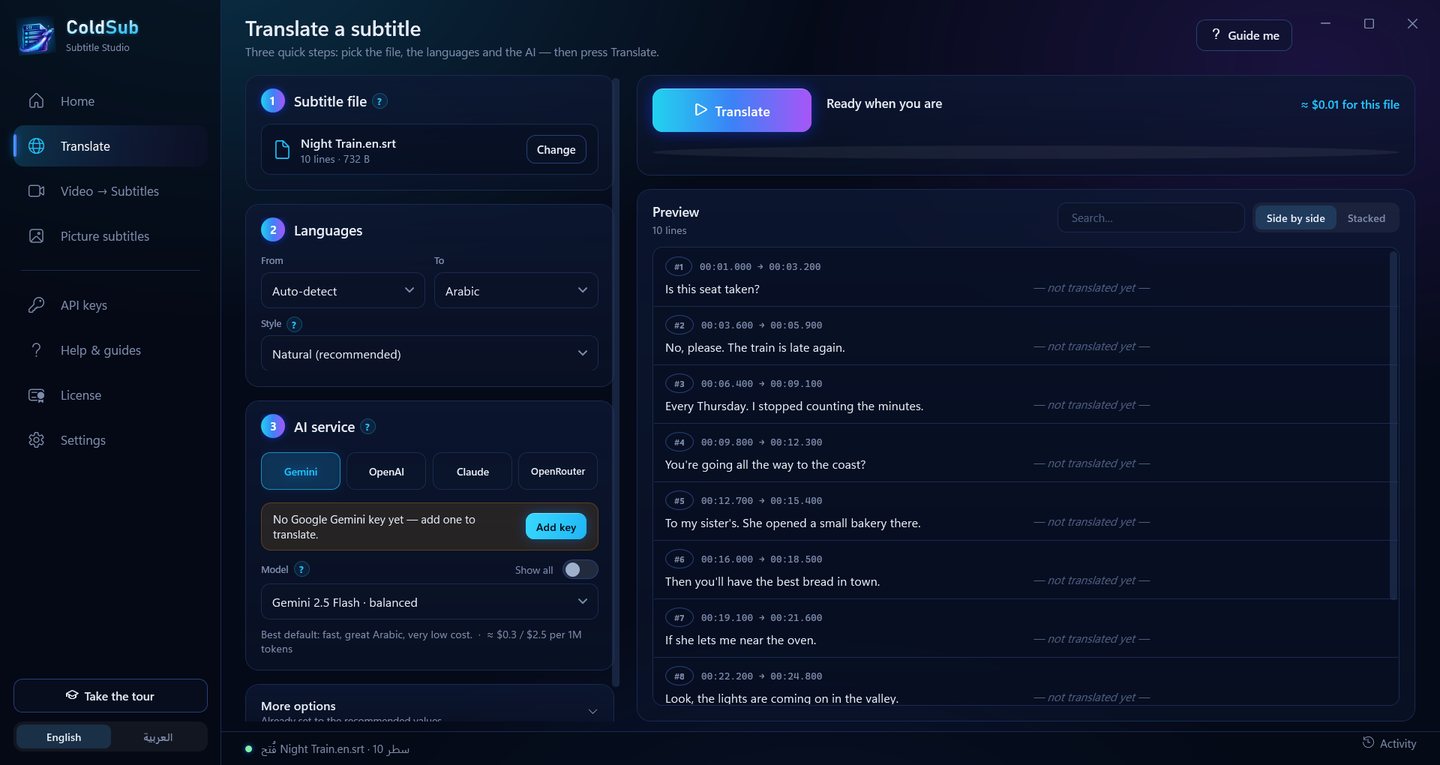
- Translates subtitle files (.srt and .vtt) into Arabic, English or more than 25 other languages, keeping every timing as it is,
- lets you pick the style: natural, formal, casual, literal, professional film localization, or a dialect (Saudi, Egyptian, Gulf, Levantine), with optional clean-up of SDH descriptions,
- remembers names and terms, and who is male or female, so the translation stays consistent from the first line to the last,
- shows a cost estimate before you start; you can stop at any moment and later finish only the missing lines, without paying again for the rest,
- saves a single-language file or a two-language file,
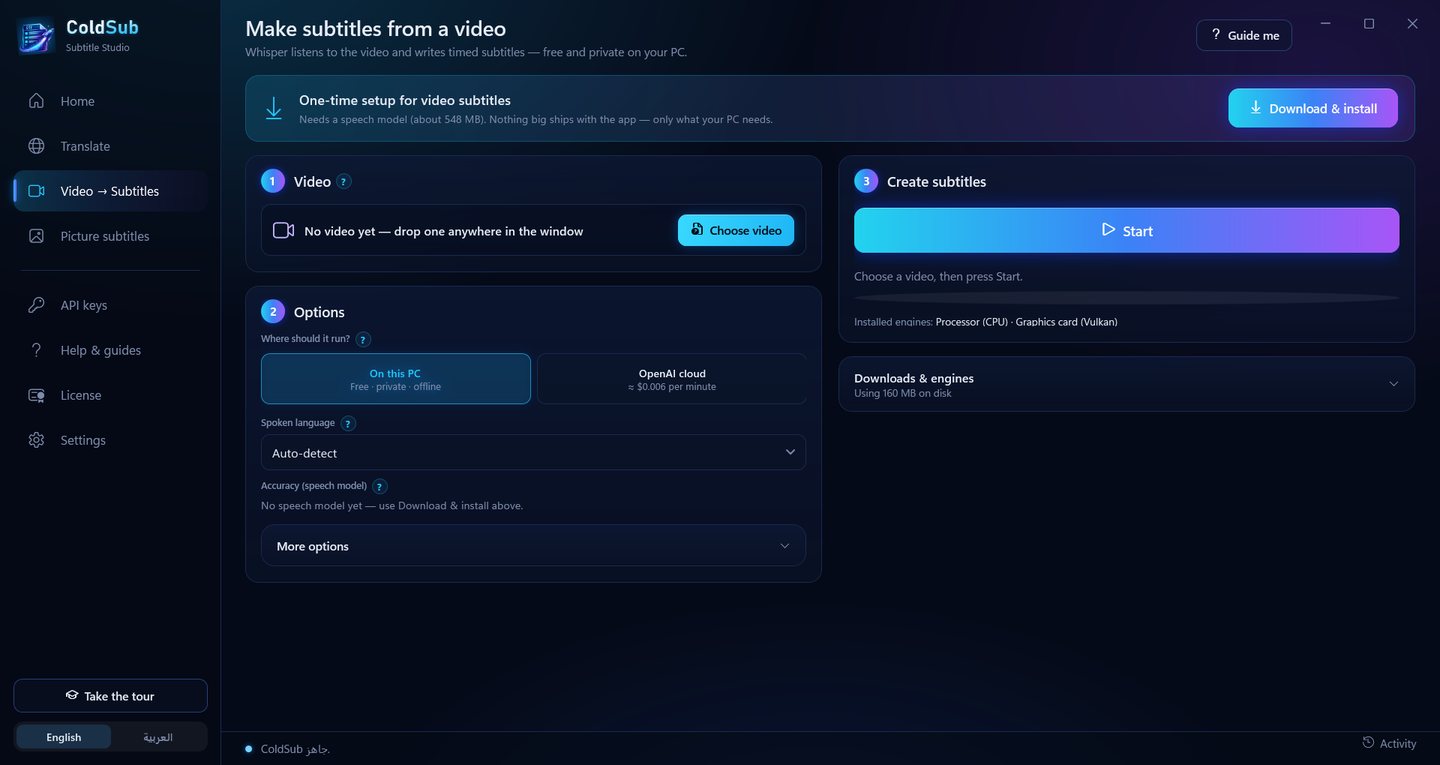
- creates subtitles from any video with Whisper on your own PC: free, private, and accelerated by your graphics card (AMD, Intel and NVIDIA),
- converts Blu-ray picture subtitles (.sup) into text you can translate, using Windows' own text recognition,
- Arabic and English interface, a guided tour, and in-app guides for every step.
What needs a key, and what does not
| Feature | Needs an API key? | Cost |
|---|---|---|
| Translating a subtitle file with AI | Yes, your key from Gemini, OpenAI, Claude or OpenRouter | Paid to the provider directly, per use |
| Subtitles from video with Whisper "On this PC" | No | Free; works offline once the parts are downloaded |
| Subtitles from video via "OpenAI cloud" (optional) | Yes, an OpenAI key | Paid to OpenAI, per use |
| Converting picture subtitles (.sup) to text | No | Free, on your PC |
For reference: translating a full film (about 1,500 lines) with the recommended models usually costs between $0.02 and $0.15, and stronger models cost more. These are rough figures; the providers set their own prices and may change them. Google Gemini offers free use to start, which makes it the easiest way to try.
How to use it
Translate a subtitle file
- Get a key from one of the providers (the app's "Help & guides" page walks you through it; Google AI Studio is the easiest).
- Open "API keys" in ColdSub, paste the key, press Save, then Test.
- Open "Translate", drop an .srt or .vtt file, choose the language and the AI service, then press Translate.
- When it finishes, press "Save to device". A copy is also saved next to the original automatically.
Create subtitles from a video
- Open "Video → Subtitles" and press "Download & install" once: the app downloads FFmpeg, a Whisper engine and the speech model that suits your PC, nothing more.
- Choose the video and press Start. The subtitle file is saved next to the video.
- Press "Translate it now" to translate it into another language (this part needs your key).
Blu-ray picture subtitles (.sup)
- Open "Picture subtitles", add the .sup file and press Convert.
- If no text is recognised, add the language in Windows Settings → Time & language → Language & region (with "Optical character recognition").
API keys: your privacy and your responsibility
- Your key stays on your PC. ColdSub stores it encrypted with Windows' own protection (DPAPI) and sends it only to the provider you picked, directly, never through any server of mine. I never see your keys, your files or your translations.
- Subtitle text is sent to the provider you choose and handled under that provider's terms and privacy policy. On Gemini's free tier, Google may use the text to improve its products; for private material, turn on billing with them.
- Your provider account is your responsibility: its terms, its charges, and keeping your key secret. I recommend turning off auto top-up, buying small amounts, setting a monthly limit, and making a separate key called "ColdSub" that you can delete any time.
- ColdByte is not a party to your agreement with those providers and is not responsible for their charges, outages or model changes. Machine translation can be wrong, so review it before you publish it, and only translate material you have the right to use.
Full details in the terms and the privacy notice.
What it needs
| Requirement | Note | |
|---|---|---|
| 1 | Windows 10 (version 2004 or later) or Windows 11, 64-bit | No administrator rights needed |
| 2 | Internet on first launch | To start the trial or activate a licence. AI translation always needs internet |
| 3 | An API key from Gemini, OpenAI, Claude or OpenRouter | For translation only, on your account |
| 4 | Disk space for video subtitles | Downloaded only when needed: FFmpeg about 110 MB, a Whisper engine 18–240 MB, the recommended speech model about 550 MB (larger models up to 3 GB) |
| 5 | A graphics card (optional) | Makes video subtitles much faster; the processor works too |
Price and licence
SAR 39, once
A perpetual licence: pay once and use it for good, with no monthly or yearly subscription. A 7-day free trial with every feature starts by itself on first launch. (AI service costs are separate and on your account with the provider.)
One PC at a time
The licence runs on one PC at a time. New PC? Enter the same key there and it moves over automatically (up to 3 moves every 30 days; if you need more, write to me).
Once activated, the app works offline (except AI translation) and quietly re-checks the licence when you are online. Your licence key arrives by email. If you are not happy within 14 days of buying, you get the licence price back — see the refund policy.
My promise. What you buy stays yours: the app keeps working for good, and updates are free while it is being developed. If ColdByte ever stops, for any reason, I will publish a "safe shutdown" notice and the app will run forever on any PC, with no licence key and no server. Details in the terms.
If Windows shows a warning
The first time you run the installer, Windows may show a blue screen saying "Windows protected your PC". That is because the app is not yet signed with a code-signing certificate — it does not mean anything harmful was found. Click More info, then Run anyway.
Prefer to check first? Run this in PowerShell in the folder where you unzipped it, and compare the result with the SHA-256 on this page:
Get-FileHash .\ColdSub-Setup-2.0.0.exe
Questions
Does it translate without a key?
No. AI translation needs your key from one of the providers, because the translating happens on their servers, on your account. What works without a key: subtitles from video on your PC, and converting picture subtitles. The easiest start is a Google Gemini key, which has free use.
Does the price include the AI cost?
No. The SAR 39 is for the app licence only. Whatever you use of an AI service is paid to that provider directly, and the app shows you an estimate before every translation.
Can I try it before buying?
Yes. A 7-day free trial with every feature starts by itself on first launch, with no payment details. Try translating with a free Gemini key.
Can you see my files or keys?
No. Keys are stored encrypted on your PC, and translation goes from your PC straight to the provider you picked. The only things that reach coldbyte.dev are the licence check and an "is there a newer version?" question. Details in the privacy notice.
Which formats does it support?
Subtitle files in .srt and .vtt in any encoding (old Arabic encodings are detected automatically), Blu-ray picture subtitles in .sup, and any video or audio FFmpeg can read, such as mp4, mkv, avi, mov and mp3. Results are saved as .srt.
What happens when the trial ends?
The app asks for a licence key. Your settings, API keys and downloaded parts stay where they are, and everything works again as soon as you activate.
Get told when something new ships
New apps, real updates, and the occasional free tool. A handful of emails a year at most — I do not have time to spam you, and I would not anyway.
Unsubscribe any time. See the privacy notice.