What is it?
ColdPulse reads the controller plugged into your PC, applies the mapping you choose, and sends the result to a virtual Xbox 360 controller that games treat as a real one. At the same time it hides the physical pad from games, so a press never arrives twice.
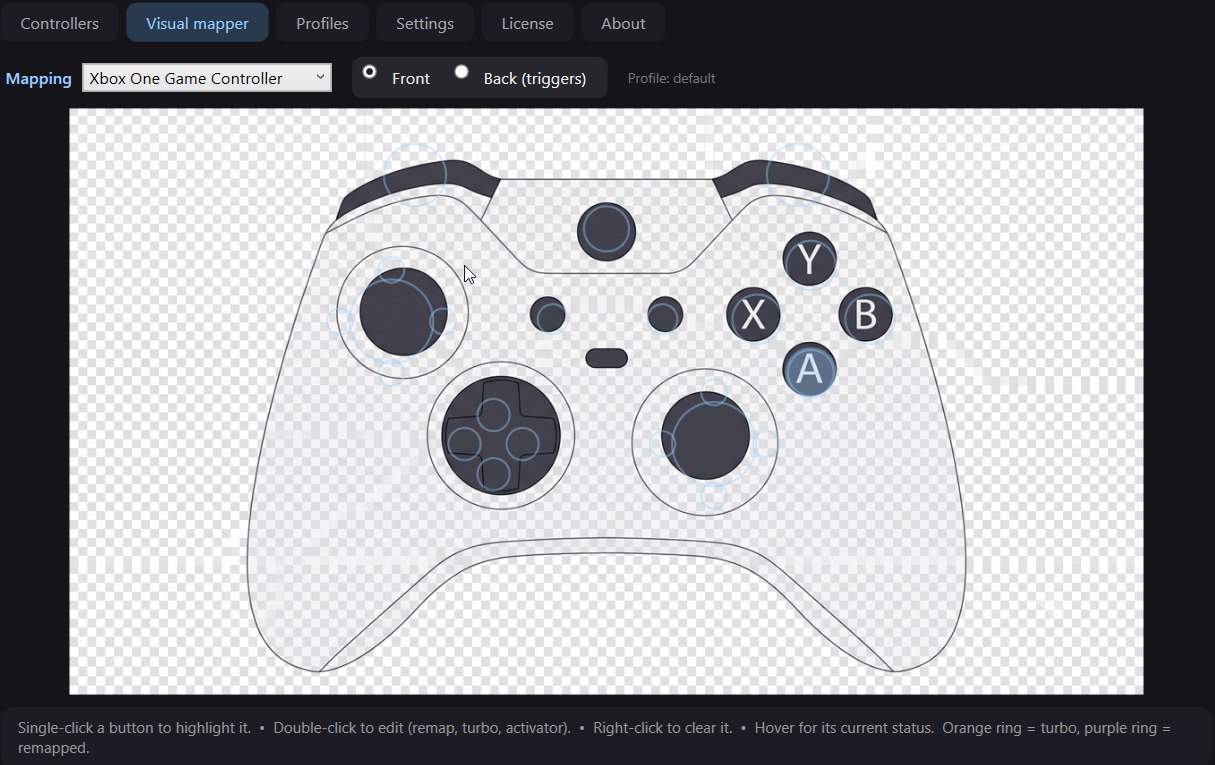
- change what any button does — click it on the picture and pick its new job,
- turbo (automatic repeat) on any button,
- profiles to keep several setups and switch between them,
- turn remapping on per controller, or for all of them with one switch,
- player order (P1, P2…), a colour per pad, and an "Identify" button to tell them apart,
- Arabic and English interface — switch any time in Settings.
Before you download
Hiding the real pad does not work with every controller. Xbox pads on a USB cable (and some pads built into handheld PCs) use a Windows driver that cannot be hidden; ColdPulse tells you so next to the pad's name. An Xbox pad on the Xbox Wireless Adapter can be hidden.
Games with strong anti-cheat (Valorant, or games using EasyAntiCheat or BattlEye) may detect or block the virtual pad. Use it for single-player and most other games, not in competitive games that forbid it.
Try it free for 7 days with your own games and controllers before you buy.
What it needs
| Requirement | Note | |
|---|---|---|
| 1 | Windows 10 or 11, 64-bit | — |
| 2 | Administrator rights | needed to control the drivers |
| 3 | ViGEmBus and HidHide drivers | the installer adds them if they are missing, then asks for one restart |
| 4 | Internet on first start only | to start the trial or activate a licence; after that it works offline |
Settings
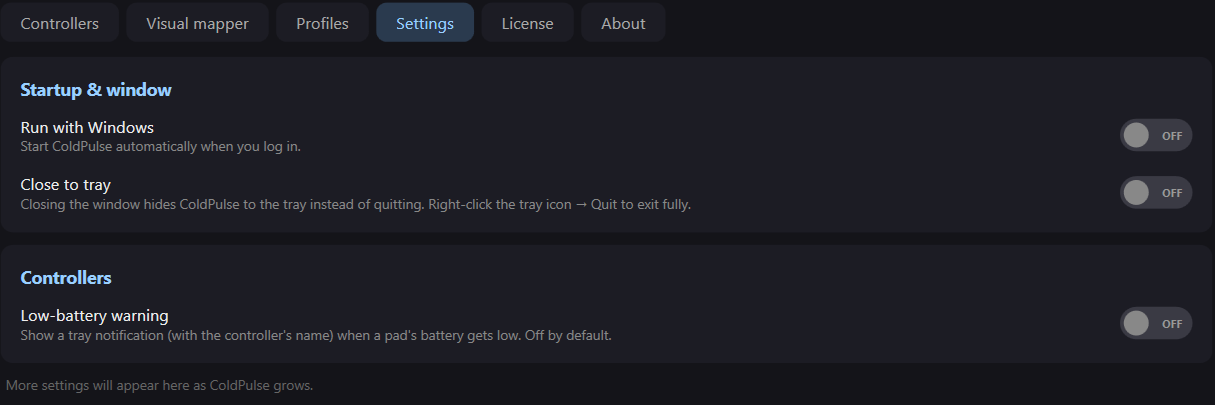
ColdPulse can start with Windows, stay by the clock in the taskbar when you close the window, and warn you when a controller's battery gets low.
Price and licence
SAR 35, once
A lifetime licence with no monthly or yearly subscription. Before you buy, a 7-day free trial with every feature starts by itself on first launch.
One PC at a time
A licence works on one PC at a time. New PC? Enter the same key there and it moves over by itself (up to 3 moves every 30 days — need more, just ask).
Once activated, ColdPulse works offline and quietly re-checks the licence when you are online. Your key arrives by email. If it is not for you, you get your money back within 14 days of buying — see the refund policy.
If Windows shows a warning
The first time you run the installer you may see a blue "Windows protected your PC" screen, because the app is not signed with a code-signing certificate yet — it does not mean anything harmful was found. Click More info, then Run anyway.
Prefer to check first? Run this in PowerShell in the folder you unzipped to, and compare the result with the SHA-256 on this page:
Get-FileHash .\ColdPulse-Setup.exe
Questions people ask
Can I try it before buying?
Yes. A 7-day free trial with every feature starts by itself on first launch, with no payment details.
What happens when the trial ends?
ColdPulse asks for a licence key. Your settings and profiles stay, and everything works again as soon as you activate.
Does it send my data anywhere?
It only talks to coldbyte.dev to check the licence or trial: it sends a code that identifies your PC (worked out from its hardware — not your name or files), the PC's name, the app version, and the licence number if you have one. Details in the privacy notice.
I reinstalled Windows. Do I lose the licence?
No. On the same PC the licence comes back by itself on the first start with internet — no key needed, and it does not count as a move.
Is it in Arabic?
Yes. The app is in Arabic and English and switches instantly in Settings, no restart. The installer asks for your language first, and the licence-key email comes in Arabic or English.
Get told when something new ships
New apps, real updates, and the occasional free tool. A handful of emails a year at most — I do not have time to spam you, and I would not anyway.
Unsubscribe any time. See the privacy notice.